// Case Study
Optima Realty Group: a brokerage site built in a day, with listings and services the team can run
A Georgia brokerage running on a Squarespace template with placeholder listings and a newsletter block that never got connected. In one day I built the replacement: a 13-page Astro site with a real listings collection, four service pages, and a CMS where every section is editable by the team.
The template that never got finished
Optima Realty Group serves buyers, sellers, and investors across Atlanta, Metro Atlanta, and the Augusta area from an office in Martinez, Georgia. Their site was a Squarespace template. The featured listings were three stock images with no address or price. The newsletter block showed a setup message instead of a form. The navigation had a shopping cart.
None of that is unusual. Most small brokerages start with a template, get busy closing, and never come back to it. The site ends up telling clients less than a business card does.
What a brokerage site has to do
A real estate site has two jobs. Show what is for sale, and make it easy to start a conversation with an agent. Everything else supports those two.
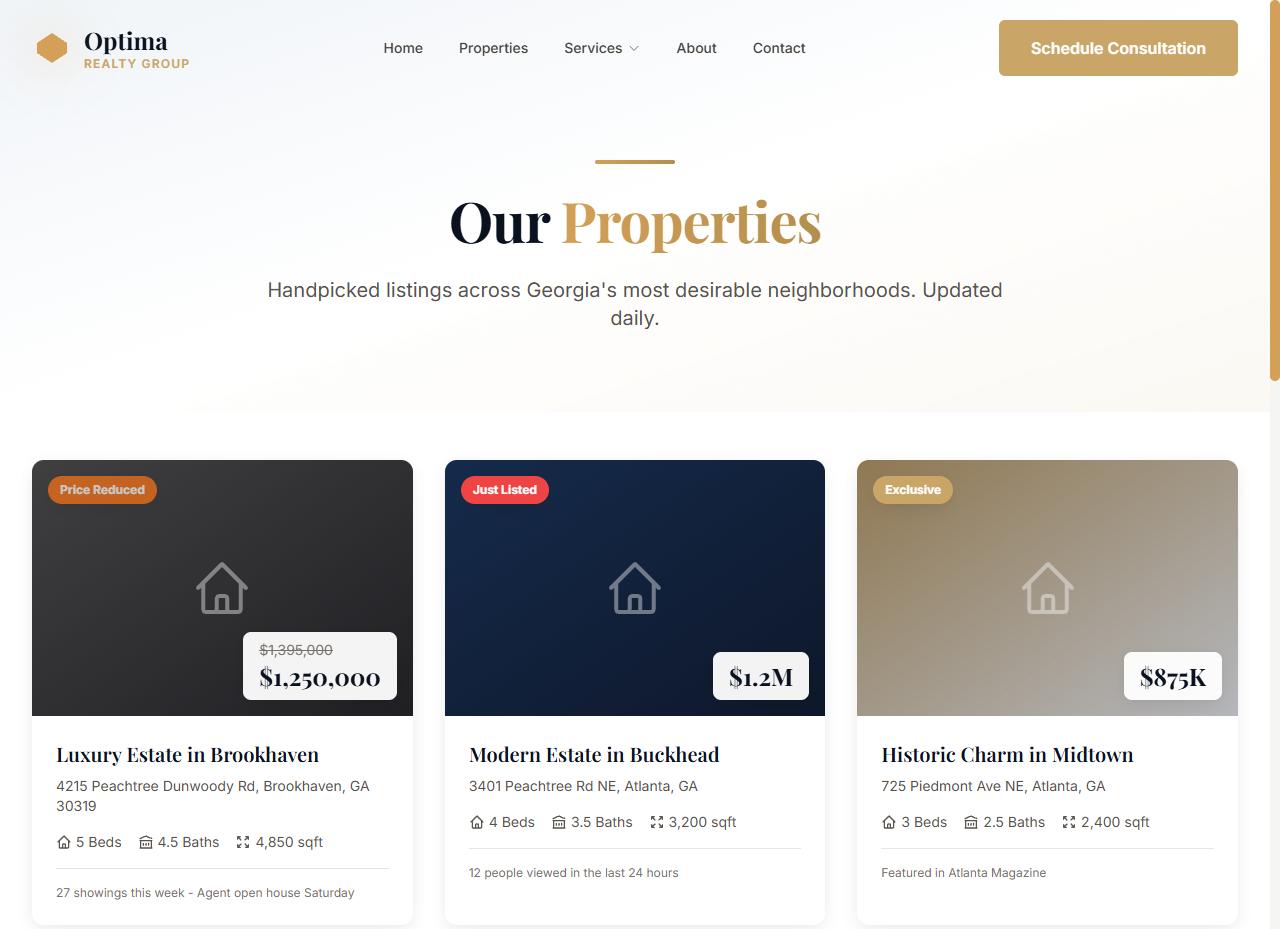
So the build started with the listings. Every property is a record in the CMS with a title, address, price, an optional original price for reductions, beds, baths, square feet, a badge like Just Listed or Exclusive with its own color, a social proof line, a feature list, year built, and lot size. Each one gets its own page. Mark a listing as featured and it appears on the homepage. Change the sort order and the grid reorders. The agent who closes a sale can take the listing down without calling anyone.
Services got the same treatment. Instead of four bullet points on the homepage, each service, selling, buying, relocating, and investing, has its own page with a stats band, a benefits list, a numbered process, and a call to action, all from one template fed by the CMS.
Built in a day
The entire site went from an empty repository to a Vercel deployment on March 2, 2026. That speed is possible because the structure is standard. Astro for fast static pages, Tailwind for the design system, Keystatic for the editing layer, and a handful of React islands where interaction is needed. The design is navy and gold with Playfair Display for headlines and Inter for body text, which reads as established without reading as old.
The build took five commits. Scaffold the project. Switch to Astro 5 and GitHub storage so the CMS works on the live site. Add Properties, Services, About, and Contact. Add the service detail pages, the dropdown navigation, a demo listing, and the property detail pages. Bundle the content files into the serverless function so Vercel can read them.
Every section is a form
The homepage alone has eight sections and each one is its own entry in the CMS: hero, value propositions, featured properties, services, market insights, testimonials, newsletter, and the closing call to action. The navigation, footer, about page, and contact page are editable too. Ten singletons and three collections in total, stored in GitHub, editable from the browser on the live site.
That matters more for a brokerage than for most businesses. Listings change weekly. Market stats change monthly. An agent joins or leaves. A site that needs a developer for any of that will go stale by spring.
Where it stands
The build is deployed and ready for the brokerage's real listings, photography, and agent bios to replace the demo content. The contact form is built and waiting for a mail service. When the team is ready, the domain moves from Squarespace to Vercel the same way I moved Cobb Anger Management off Wix, with every old URL preserved.
// Before and after
What changed
// What shipped
- ✓Navy-and-gold design system with Playfair Display and Inter
- ✓Homepage with eight independently editable sections
- ✓Properties collection with featured flag, sort order, badges, and price-reduction display
- ✓Property detail pages generated from the collection
- ✓Services index and four service detail pages with benefits and process steps
- ✓About page with story, mission, core values, and team members
- ✓Contact page with office details, hours, and a form ready to wire to a mail service
- ✓Testimonials collection
- ✓Keystatic CMS on GitHub storage, 10 singletons and 3 collections, editable from the live site
- ✓Vercel deployment with content bundled into the serverless function
// Stack
// Your turn
Want a site that books for you?
Service-business websites start at $499, live in days. Booking and client management when you need it.